Smart-home devices don’t have to come with another monthly bill. Many of the best smart home devices without monthly fees can provide local control, automation, security and recording without putting their core features behind a subscription.
We compared subscription-free smart home products based on long-term value, local control, reliability, integration, ease of use and upfront cost. Our picks include Home Assistant Green, Shelly, Lutron Caséta, Aqara and Reolink.
Some still offer optional cloud services, but every product in this guide remains genuinely useful without requiring a monthly subscription for its core functionality.
Our goal isn’t simply to find devices with no monthly fee. We favor products that keep working locally, integrate well with platforms such as Home Assistant, and don’t become significantly less useful when an Internet connection or manufacturer’s cloud service disappears.
Quick picks
| Category | Our pick | Subscription | Local operation | Payoff Score |
|---|---|---|---|---|
| Smart-home controller | Home Assistant Green | No | Excellent | 9.2/10 |
| Smart relay | Shelly 1PM Gen4 | No | Excellent | 9.2/10 |
| Smart lighting | Lutron Caséta | No | Excellent | 9/10 |
| Door/window sensor | Aqara P2 | No | Excellent | 8.8/10 |
| Video doorbell | Reolink Video Doorbell PoE | No | Excellent | 9.2/10 |
| Security camera system | Reolink RLK8-1200B4-A | No | Excellent | 9/10 |
How we chose these products
These recommendations are evaluated using the Home Tech Payoff Score, which weighs long-term value, local control, reliability, integration, ease of use and upfront value. Products that remain useful without mandatory cloud services or recurring fees generally score higher.
See exactly how the Home Tech Payoff Score works →
No subscription does not always mean local
There are three different concepts that manufacturers often blur together:
No subscription means you do not have to make recurring payments for the features you need.
Local control means commands and automations can operate inside your home rather than requiring a manufacturer’s cloud server.
No cloud dependency means the important parts of the product continue working even if the manufacturer’s Internet service becomes unavailable.
A product can have no monthly fee while still depending heavily on somebody else’s cloud.
For Home Tech Payoff, the strongest products combine all three: no required subscription, useful local functionality and minimal dependence on an outside service.
For a broader look at devices, platforms and practical automation, see our smart home guides.
Best smart-home foundation: Home Assistant Green
Home Assistant Green
Best for: People who want an easy, dedicated Home Assistant system
Typical price: About $199
Home Assistant Green is one of the easiest ways to build a smart home around local control rather than around one manufacturer’s cloud ecosystem.
Home Assistant brings devices from many manufacturers into one automation platform. Green provides dedicated hardware with Home Assistant already installed, avoiding the need to build and maintain your own Raspberry Pi or server.
Its biggest advantage isn’t a flashy feature. It’s ownership.
Your automations and smart-home data can remain local, and Home Assistant itself doesn’t put core functionality behind a mandatory subscription.
Why we like it
- No mandatory subscription
- Local automation and data storage
- Very broad device compatibility
- Dedicated low-power hardware
- Simple entry point for people who don’t want to maintain a server
- Can continue controlling local devices when the Internet is unavailable
What we’d change
Home Assistant Green doesn’t include a Zigbee or Thread radio. If you want those protocols directly, you’ll need compatible additional hardware.
And at its current price, technically inclined users may be able to build a more powerful Home Assistant server for similar money. If you’re weighing Green against a Pi or mini PC, see our Home Assistant Green vs Raspberry Pi vs Mini PC comparison.
HOME TECH PAYOFF SCORE
Exceptional Payoff
A strong plug-and-play foundation for a locally controlled smart home, although DIY users can build more powerful hardware for the money.
How we calculate this score →Who should buy it: Someone getting started with Home Assistant who wants dedicated, supported hardware without maintaining a general-purpose server.
Who should skip it: Someone who already runs Home Assistant reliably on a mini PC, NAS, VM or other server.
Best smart relay: Shelly 1PM Gen4
Shelly 1PM Gen4
Best for: Adding local smart control and power monitoring behind existing switches or outlets
Typical price: About $33
Smart relays solve a different problem from smart bulbs: they make the electrical circuit itself smart.
The Shelly 1PM Gen4 fits behind compatible switches and outlets and adds remote switching plus power monitoring. It supports multiple protocols, including Wi-Fi, Zigbee, Bluetooth and Matter.
More importantly for our purposes, Shelly has excellent local integration with Home Assistant.
That means you aren’t buying a piece of hardware that becomes useless simply because you decide not to pay for a service.
Why we like it
- No mandatory subscription
- Excellent Home Assistant integration
- Local communication
- Built-in power monitoring
- Wi-Fi, Zigbee, Matter and Bluetooth support
- Small enough for many behind-switch installations
- Currently around $33 in the U.S.
What we’d change
Installation involves mains electrical wiring. That isn’t the same proposition as plugging in a smart bulb.
Box depth, wiring configuration and local electrical requirements also matter.
If you aren’t comfortable working with household electrical circuits, use a qualified electrician.
HOME TECH PAYOFF SCORE
Exceptional Payoff
Low hardware cost, local control, power monitoring and strong Home Assistant support make the 1PM Gen4 unusually good value.
How we calculate this score →Who should buy it: Homeowners who want existing lights or appliances integrated into a locally controlled smart home.
Who should skip it: Renters or anyone uncomfortable modifying mains wiring.
Best smart lighting system: Lutron Caséta
Lutron Caséta
Best for: Reliable whole-home lighting control where stability matters more than the lowest upfront price
Typical price: Starter kits typically around $100–$125
Lutron Caséta illustrates an important Home Tech Payoff principle:
The cheapest product isn’t necessarily the best value.
Caséta switches cost more than many generic Wi-Fi smart switches and the system uses a Lutron Smart Hub.
In return, Lutron uses its own wireless network rather than loading every light switch directly onto your Wi-Fi. The switches continue operating when Internet connectivity is lost, and Home Assistant’s official Caséta integration communicates locally through the hub.
Lutron also states that use of its app and remote access does not carry a subscription fee.
Why we like it
- No monthly service charge
- Very strong reliability reputation
- Local Home Assistant integration
- Dedicated lighting network
- Physical switches remain useful as ordinary switches
- Excellent Pico wireless remotes
- Large established ecosystem
What we’d change
Cost.
Caséta becomes expensive when you’re replacing switches throughout an entire house. The Smart Hub also adds another piece of hardware.
But we’d rather pay more for lighting infrastructure that works consistently than save $20 on a switch that regularly drops offline.
HOME TECH PAYOFF SCORE
Exceptional Payoff
Caséta costs more upfront, but excellent reliability and local Home Assistant control make it a strong long-term lighting investment.
How we calculate this score →Who should buy it: Someone prioritizing dependable whole-home lighting over the lowest possible purchase price.
Who should skip it: Someone adding only one or two inexpensive smart lights, or someone who already has a reliable Zigbee/Z-Wave lighting system.
Best value sensor: Aqara Door and Window Sensor P2
Aqara Door and Window Sensor P2
Best for: Local door and window automations on an existing Matter over Thread network
Typical price: About $30
Contact sensors aren’t exciting.
They’re also some of the most useful devices in a smart home.
Knowing whether a door, window, cabinet or gate is open can trigger lighting, security alerts, HVAC changes and dozens of other automations.
The Aqara Door and Window Sensor P2 uses Matter over Thread and can participate in local automations without relying on cloud processing.
At around $30, it is inexpensive enough to deploy in multiple locations.
Why we like it
- No mandatory subscription
- Matter over Thread
- Local automation
- Long-life replaceable battery
- Simple installation
- Useful far beyond security
What we’d change
The P2 requires a compatible Matter controller and Thread Border Router.
That’s important. The “$30 sensor” isn’t necessarily a $30 solution if your smart home doesn’t already have the required Thread infrastructure.
HOME TECH PAYOFF SCORE
Excellent Payoff
A useful subscription-free contact sensor with strong local credentials, provided you already have the necessary Thread infrastructure.
How we calculate this score →Who should buy it: Someone with an existing Matter/Thread network who wants useful low-power sensors.
Who should skip it: Someone who would need to buy additional infrastructure solely to connect one sensor.
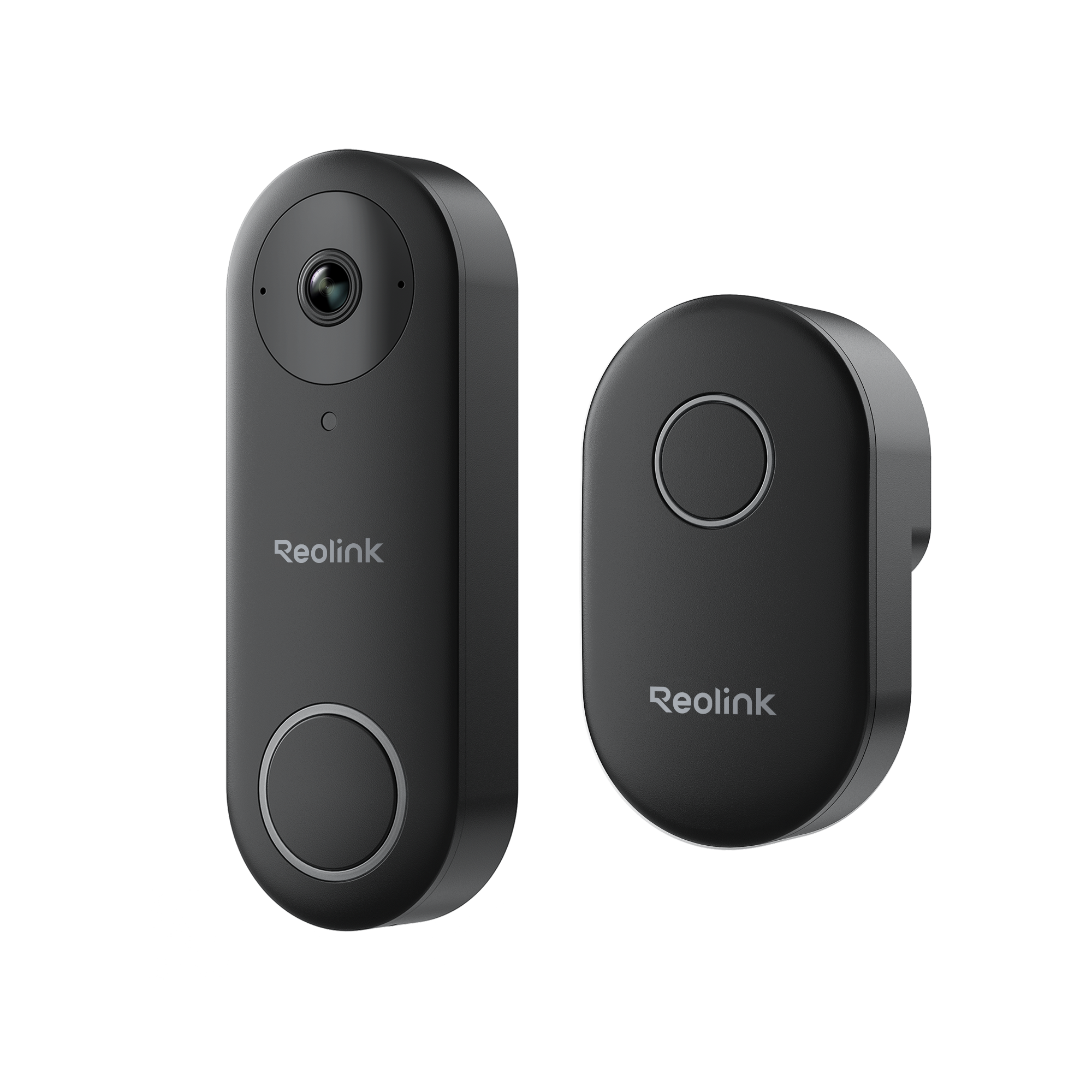
Best subscription-free video doorbell: Reolink Video Doorbell PoE
Reolink Video Doorbell PoE
Best for: Local video recording without a mandatory cloud subscription
Typical price: About $120
Security cameras are where subscription costs can become particularly painful.
A doorbell may look inexpensive until useful recording history, detection or playback requires another monthly plan.
Reolink takes a much more ownership-friendly approach.
Its PoE Video Doorbell supports local recording to microSD, compatible Reolink NVR/Home Hub, or FTP/NAS storage. Reolink specifically advertises continuous, scheduled and motion recording without monthly fees.
For Home Assistant users, the story gets better: the official Reolink integration is local and can continue operating even when Internet access to the camera is blocked.
PoE also gives the doorbell wired power and networking over a single Ethernet cable.
Why we like it
- No mandatory monthly fee
- Local recording
- PoE power and networking
- 24/7 recording support
- Official local Home Assistant integration
- Does not require a Reolink cloud account for local HA operation
- Multiple storage options
What we’d change
PoE is fantastic if Ethernet already reaches your door.
Running new cable through a finished house can turn a roughly $120 doorbell into a much larger project.
For those homes, Reolink’s Wi-Fi or battery models may make more sense.
HOME TECH PAYOFF SCORE
Exceptional Payoff
Local recording, PoE reliability and unusually deep Home Assistant support make this one of the strongest subscription-free doorbell options.
How we calculate this score →Who should buy it: Someone with Ethernet available at the front door, or anyone willing to install it.
Who should skip it: Someone who needs a completely wire-free installation.
Best subscription-free security camera system: Reolink RLK8-1200B4-A
Reolink RLK8-1200B4-A
Best for: A complete PoE camera system with local recording and no mandatory subscription
Typical price: Typically around $800–$860
One Reolink camera is useful.
The ecosystem becomes more compelling when several cameras record into local storage.
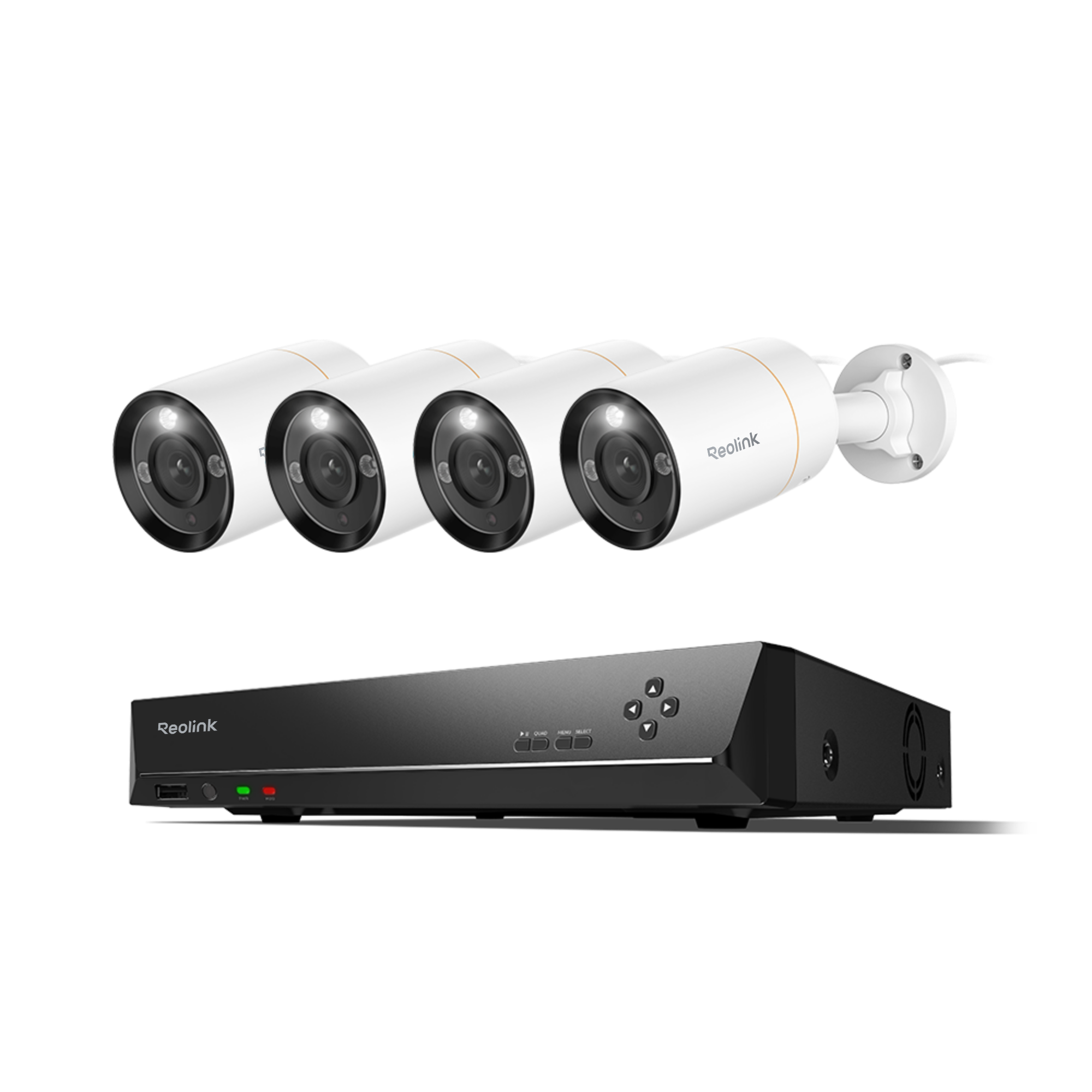
Reolink RLK8-1200B4-A combines four 12MP PoE cameras with an NVR and local hard-drive recording.
The included NVR provides centralized local storage, allowing the cameras and recordings to remain under your control.
A dedicated NVR costs more upfront, but this is where long-term ownership economics become interesting.
Instead of paying indefinitely for cloud retention on several cameras, you’re buying storage infrastructure once.
Why we like it
- No required cloud recording subscription
- Local storage
- NVR and Home Hub options
- PoE camera options
- Strong Home Assistant integration
- System can operate locally
- Scales from one camera to a multi-camera installation
What we’d change
The upfront bill increases quickly when you add cameras, an NVR, storage and cabling.
And local storage means you become responsible for storage health, backups where appropriate and protecting the recorder from theft or failure.
HOME TECH PAYOFF SCORE
Exceptional Payoff
A strong whole-home PoE camera system with local recording, expandable storage and no mandatory monthly subscription.
How we calculate this score →Where subscriptions become expensive
The easiest way to underestimate a subscription is to look at its monthly price.
A hypothetical $10 monthly camera plan doesn’t sound particularly expensive.
Over three years:
| Cost | Subscription camera | Local-storage camera |
|---|---|---|
| Hardware | $100 | $150 |
| Local storage | $0 | $40 |
| Subscription | $360 | $0 |
| 3-year total | $460 | $190 |
In this example, spending $90 more upfront saves $270 over three years.
That’s not an argument that every subscription is bad.
It’s an argument for comparing total ownership cost instead of checkout price.
For more ways to reduce recurring technology costs, see our Save Money guides.
When a subscription is worth paying for
There are situations where recurring services provide real value.
Off-site security-camera storage is a good example. If somebody steals both your camera and local recorder, an off-site copy may be valuable.
Professional alarm monitoring is another. You’re paying for a service performed by people and infrastructure, not merely unlocking a feature already built into your hardware.
Home Assistant Cloud is also a useful example of an optional subscription done well. Home Assistant itself remains functional without it; the subscription provides additional convenience and supports development of the project.
Our objection isn’t to subscriptions.
It’s to mandatory recurring charges that artificially limit hardware you’ve already purchased.
Our picks by priority
If you’re starting from scratch
Start with the platform, not the gadgets.
Home Assistant Green gives you a central system capable of tying different manufacturers together without forcing your entire home into one company’s ecosystem.
If you want the biggest financial win
Look at security cameras and doorbells first.
Those categories commonly turn inexpensive hardware into recurring expenses. Local recording can materially change the long-term cost.
If reliability matters most
Consider Lutron Caséta for lighting.
It’s not our cheapest recommendation, but lighting is infrastructure. Reliability matters more than saving a few dollars on each switch.
If you’re building lots of automations
Sensors and Shelly relays provide enormous utility for relatively little money.
A $30 sensor that prevents your HVAC running while a window is open may deliver more practical value than a far more expensive gadget.
The bigger payoff
The goal isn’t to eliminate every subscription from your life.
It’s to understand what you’re paying for.
Good smart-home technology should continue doing its core job after you’ve bought it. It should integrate with other products, survive an Internet outage where practical, and avoid turning basic functionality into another permanent bill.
That’s the standard we’re using at Home Tech Payoff.
Buy the technology once. Keep getting value from it.